Google Translate Blog
The official source for news on Google's translation technologies
Translate Google+ posts and comments with Google Translate
Tuesday, August 20, 2013
Whenever there's a
Google+
public post or comment that isn’t in your language, you'll now see a "Translate" link underneath the text. Clicking the link translates the text in-line, and clicking again returns to the original. (You can set/check your language prefences here:
www.google.com/settings/account
)
The Google Translate team is always working to make information more accessible to individuals around the world. In Google+ this means bringing people together regardless of their written language, and breaking down language barriers that can limit the exchange of ideas.
We’re rolling out the feature gradually on desktop, so look for the new “Translate” link, and let us know your thoughts!
Posted by +
Ed Chi
, Research Scientist, and
+
Lichan Hong
, Software Engineer
Sometimes It’s Easiest to Just Write It Down
Wednesday, July 24, 2013
Last year
we brought handwriting input to
Google Translate for Android
.
Earlier this year
, we updated
Google Input Tools
on desktop by adding new virtual keyboards, input method editors, and transliteration input tools. Today, we take our input tools one step further, by bringing handwriting input to the Google Translate homepage.
Handwriting input lets you translate a written expression, even if you don’t know how to type the characters. For example, suppose you see the Chinese expression “饺子” and want to know its meaning in English, but have no idea how to type these characters. Using the new handwriting input tool, you can simply draw these characters on your screen and instantly see the translation.
Once you have chosen your input language, you will see the input tools icon at the bottom of the text area. Click the input tools icon to switch to handwriting in the drop-down menu. You can then begin drawing your text on the main panel of the handwriting tool. You can draw multiple characters at once.
We currently have handwriting support for
45 languages
, including Chinese, Japanese and Korean. Handwriting input is also available in the
Google Input Tools Chrome extension
. Other text input tools in Translate include
virtual keyboards
,
input method editors
, and
transliteration
. They are also available in other Google products, including
Gmail
,
Drive
,
Chrome
, and
Android
. We hope handwriting will make your translation experience easier than ever!
Posted by Xiangye Xiao, Product Manager
Take your Phrasebook on the go—and translate by camera in 16 more languages
Wednesday, May 8, 2013
When you’re traveling in another country, you want quick access to your favorite translated phrases—whether it’s “Where can I find a museum?” or “Do you know where the bathroom is?” Google Translate lets you save these translations in your Phrasebook, but you still could not easily access them on the go from your phone or tablet. Starting today, you can automatically sync the phrases in your Phrasebook to your Android device using the Google Translate mobile app, so you can carry your most useful phrases with you wherever you go.
To get started, select Phrasebook in the app menu of the Google Translate app for Android. (Notice that Phrasebook replaces the Favorites feature; your saved phrases are now part of your Phrasebook.) To sync your phrases, simply sign in to your Google Account by tapping the ‘Sign in’ button at the top of your Phrasebook.
With your favorite phrases synced across devices, we hope you’ll never be at a loss for words again.
Last but not least, this latest release of Google Translate for Android sees a significant improvement to the
camera-input
feature. You can now use camera-input to find translations in 16 additional languages:
Bulgarian, Catalan, Danish, Estonian, Finnish, Croatian, Hungarian, Indonesian, Icelandic, Lithuanian, Latvian, Norwegian, Romanian, Slovak, Slovenian, and Swedish.
Happy translating!
Minqi Jiang, Associate Product Manager, on behalf of the Google Translate Team
More than 70 of the world’s languages in the blink of an eye
Wednesday, May 8, 2013
If you took a quick snapshot of content available on the web, you might think that everyone around the world spoke English, Chinese, French or Spanish. But in fact, millions of people around the world speak an incredible array of languages that currently have a small presence across the web.
Google Translate
helps bridge the divide between the content available online and people’s ability to access that information. Starting today, you can translate another five languages using Google, which combined are spoken by more than 183 million people around the globe:
Bosnian
is an official language in Bosnia and Herzegovina that’s also spoken in regions of neighboring countries and by diaspora communities around the world.
Cebuano
is one of the languages spoken in the Philippines, predominantly in the middle (Visayas) and southern (Mindanao) regions of the nation.
You can hear the
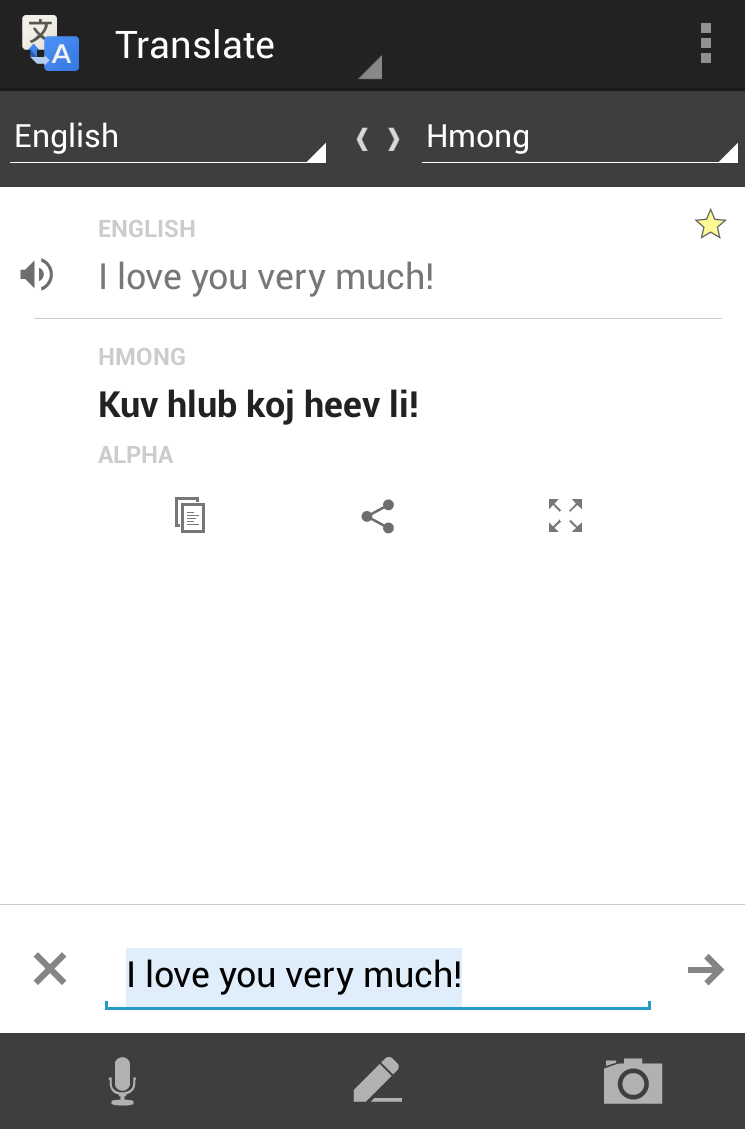
Hmong
language spoken in many countries across the world, including China, Vietnam, Laos, Thailand and throughout the United States.
Javanese
is the second most-spoken language in Indonesia (behind Indonesian), with 83 million native speakers.
Marathi
is spoken in India and has 73 million native speakers. Google Translate already supports several other Indian languages: Bengali, Gujarati, Hindi, Kannada, Tamil, Telugu and Urdu.
With the exception of Bosnian, these new languages are “alpha,” meaning while the quality isn’t perfect, we will continue to test and improve them over time.
You can access Translate on the web at
https://translate.google.com
, on your
Android
or
iOS device
, or via Chrome and in Gmail. We are excited to reach the 70+ language milestone, and we look forward to continuing to add more languages.
Bosnian
: Google Prevodilac sada podržava više od 70 jezika!
Cebuano
:
Google sa Translate misuporta na karon sa kapin sa 70 ka mga!
Hmong
:
Google Translate nim no txhawb nqa tshaj li 70 hom lus!
Javanese
: Google Translate saiki ndhukung luwih saka 70 basa!
Marathi
:
Google भाषांतर आता 70 पेक्षा जास्त भाषांचे समर्थन करते!
Posted by Sveta Kelman, Program Manager, Google Translate
Google Translate now supports Khmer
Thursday, April 18, 2013
What better way to start Cambodian new year than with the addition of the Khmer language to
Google Translate
as our 66th supported language. We hope that this will help open up the web to Khmer speakers and likewise make Khmer content more accessible to the rest of the world.
Our focus is and always will be our users. The Google Translate team works hard to improve the quality of our translations so that each newly launched language is of a quality good enough to help the users who rely on it. Khmer now meets our standards to be launched with “alpha” status. That means it is an early version of the translation system that will be usable in many situations, but may not be adequate for all.
Today’s Khmer launch comes with these useful features: virtual keyboard (in case you want to type in Khmer but do not have Khmer keyboard handy) and ability to read Khmer text phonetically for users who don't read Khmer alphabet.
Khmer is a challenging language for translation systems for two reasons: There isn’t a lot of Khmer data on the web and words are not usually separated by spaces; so in addition to teaching our translation system a new language, it also has to learn how to separate words (what we call segmentation).
Over time, we will improve the system and make our Khmer translations better. We constantly improve our algorithm when we find new translations and learn from your
alternative translations
.
If your language is not yet supported, please rest assured that our team is working hard behind the scenes to support additional languages. The more your language is used on publicly available websites with translations into other languages, the sooner we are likely to start supporting it. So please use your language on the web and help us collect new translations by uploading your translations with the
Translator Toolkit.
សួស្ដីឆ្នាំថ្មី (Happy New Year)!
Post by Arne Mauser, Software Engineer,
on behalf of the Google Translate Team
The World’s Languages in Your Pocket (No Internet Required)
Wednesday, March 27, 2013
Have you ever found yourself in a foreign country, wishing you knew how to say "I'm lost!" or "I'm allergic to peanuts”? The Internet and services like Google Translate can help—but what if you don't have a connection?
Today we're launching offline language packages for
Google Translate on Android
(2.3 and above) with support for fifty languages, from French and Spanish to Chinese and Arabic.
You can select [Offline Languages] in the app menu to see all the offline language packages available for download. To enable offline translation between any two languages, you just need to select them in the offline languages menu. Once the packages are downloaded, you're good to go.
While the offline models are less comprehensive than their online equivalents, they are perfect for translating in a pinch when you are traveling abroad with poor reception or without mobile data access.
So go out and explore another language or another culture without worrying about Internet access. There’s a whole world offline out there.
Posted by Minqi Jiang,
Associate Product Manager, on behalf of the Google Translate Team
Never Forget a Useful Phrase Again - Introducing Phrasebook for Google Translate
Thursday, March 14, 2013
Your knowledge of a language is largely determined by how well you can say the right things at the right time. But with so many useful phrases out there, it can be hard to keep track of them all, let alone recall them when needed.
With Google Translate, you can find the right thing to say, but you may not remember the translation at the right time. You might find yourself performing the same translation again and again, until you finally commit the translation to memory.
Phrasebook for Google Translate jumpstarts this slow learning process by allowing you to save the most useful phrases to you, for easy reference later on, exactly when you need them. By revisiting the useful phrases in your Phrasebook from time to time, you can turn any brief translation into lasting knowledge.
It’s easy to start using Phrasebook. Simply click the star under the translated text to save the translation in your Phrasebook.
To view your Phrasebook, simply click the Phrasebook icon above the upper-right corner of the box containing the translation.
Click any phrase in your Phrasebook to load it back in the translation area. Using the Phrasebook controls, you can filter your phrases by language pair or search for a specific phrase. You can also easily listen to each phrase by hovering over the entry and selecting the text-to-speech icons.
We hope your new Phrasebook will come in handy as you use Google Translate. We'd love to hear any feedback you have about this new feature. You can tell us what you think about Phrasebook through the "Send Feedback" option at the bottom of the Google Translate homepage.
- The Google Translate Team
Labels
alpha languages
Android
api
BBC
Challenge
chrome
football
Google Goggles
Google Translate
Google Translate for Animals
I/O
integrations
Mobile
new languages
partnerships
Research
search
Search Stories
text-to-speech
toolbar
Translate Blog
Translate Community
translation quality
Translator Toolkit
transliteration
Wear
website translation element
Wikipedia
Youtube
Archive
2016
May
Apr
Feb
2015
Dec
Oct
Aug
Jul
Jun
May
Apr
Feb
Jan
2014
Dec
Oct
Jul
2013
Dec
Nov
Sep
Aug
Jul
May
Apr
Mar
Feb
2012
Dec
Oct
Sep
Aug
Jul
May
Apr
Mar
Feb
Jan
2011
Nov
Oct
Aug
Jun
May
Apr
Feb
Jan
2010
Dec
Nov
Oct
Aug
Jul
Jun
May
Apr
Mar
Feb
2009
Dec
Nov
Feed
Follow @google
Follow
Useful Links
About Translate
Translate Community
Translate for Android
Translate for iOS
Give us feedback in our
Product Forums
.




 Follow